








The WhatsApp shared inbox and CRM for your whole team
Put every agent, branch and department on one WhatsApp number, with chats assigned to the right person and every customer's history in view.

WhatsApp open rate
Customers read WhatsApp, so answer them there as a team
Faster first response
How teams work in the Syncli inbox
Built for teams answering WhatsApp at volume, across shifts, branches and departments.
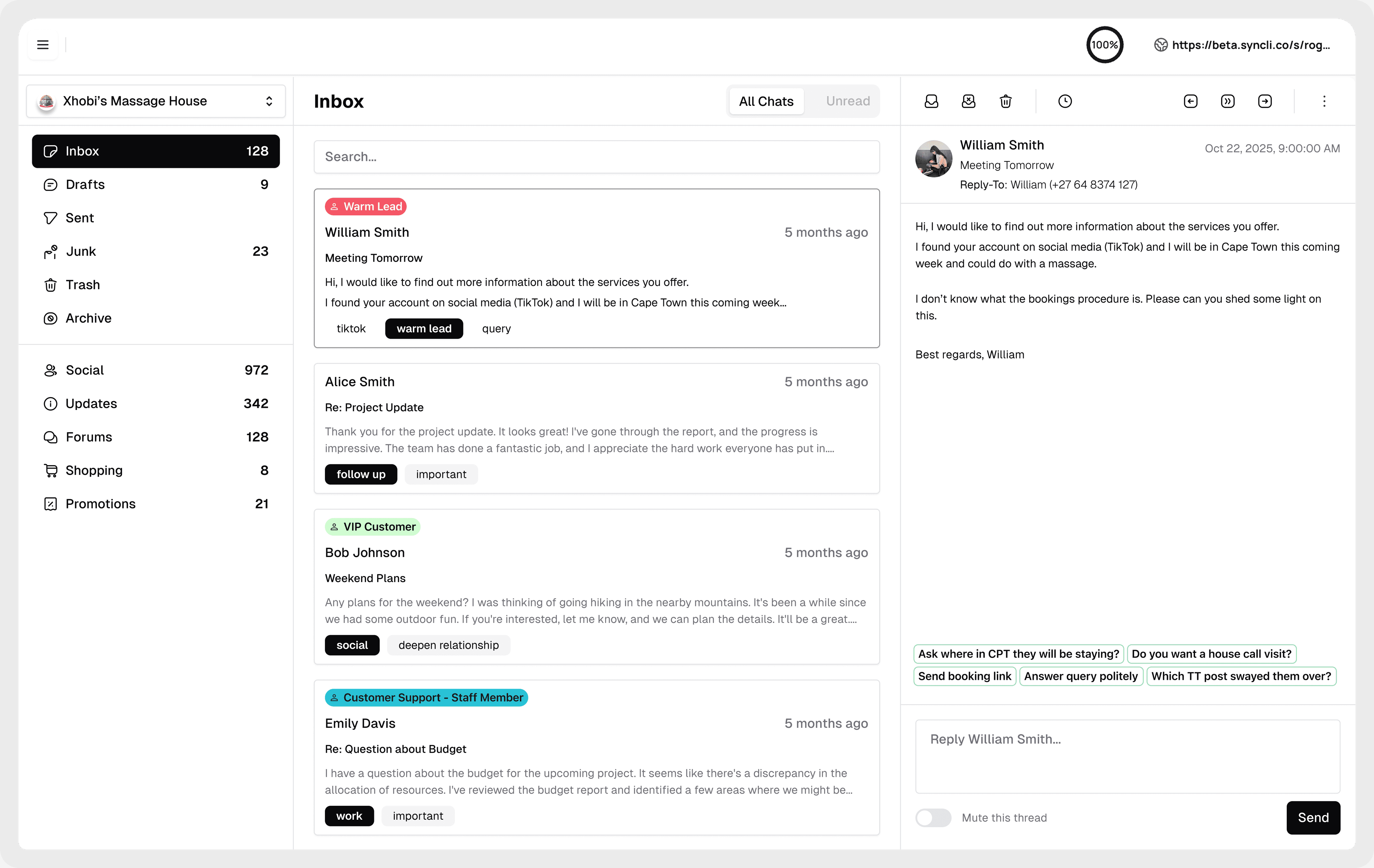
No more passing phones around.
Every agent works from one inbox on desktop or mobile. Syncli plans include unlimited team inboxes and seats, so adding people never means another phone.
- Unlimited seats on every plan
- Desktop and mobile
- Quick-reply templates


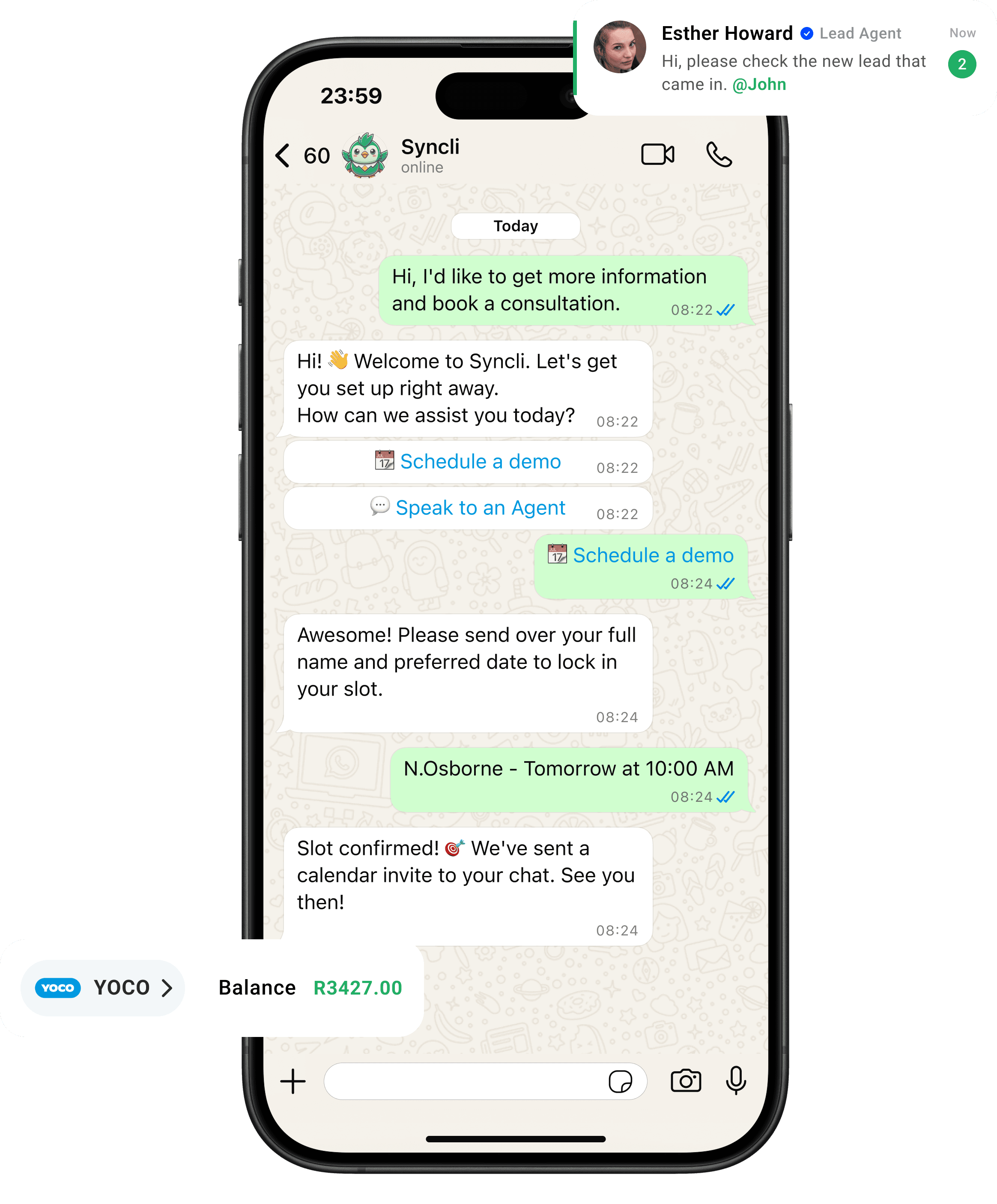
from chat to checkout
The shortest line between 'Hello' and 'Done.'
Your customers are already on WhatsApp, don't send them away to slow contact forms or email threads. Syncli keeps the entire journey inside the chat, making it seamless for leads to qualify, decide, and pay in seconds.

One inbox instead of a drawer of phones.
When WhatsApp lives on individual phones, chats get missed, nobody knows who replied, and customer history leaves when a staff member does. A shared inbox fixes all three.
- Every chat assigned.
- Every reply on record.
- Every customer's history kept.
WhatsApp open rate

What is a WhatsApp shared inbox?
A WhatsApp shared inbox lets many people answer customers from one WhatsApp Business number at the same time. The WhatsApp Business app is designed around a single phone with up to four linked devices. A shared inbox runs on the WhatsApp Business API, so there is no limit to the number of agents, and every conversation belongs to the business rather than to a phone.
In Syncli, the inbox is also your WhatsApp CRM. Every contact keeps their conversations, orders, bookings, tags and notes in one record, so whoever replies next has the full picture.
Built for branches, departments and shifts
Mid-sized and large businesses rarely have one person answering WhatsApp. They have sales and support teams, several branches, and shifts that hand over in the evening. Syncli is set up for that:
- Teams keep sales, support and each branch in their own queue, and restrict visibility so people see the chats that are theirs.
- Assignment gives every chat an owner, so nothing is answered twice or not at all.
- Role-based access (on the Enterprise plan) controls who can see and do what.
- Quick-reply templates keep answers consistent across the team.
- Automation handles the repeat questions first. See the AI chatbot.
Selling from the inbox
The inbox isn't only for support. Agents can share products from the WhatsApp catalogue, build an order and send a payment link without leaving the chat. When the customer pays, the order is marked as paid in the same record. Tags such as campaign source or product interest let you segment contacts for later broadcasts.
Records, security and POPIA
When conversations live on staff phones, customer data walks out of the door when a staff member leaves. In a shared inbox, conversations stay on the business account. Syncli includes POPIA compliance features on every plan and processes payments through PCI-compliant providers such as Yoco and Payfast.
If your teams work in Salesforce, Syncli syncs WhatsApp contacts and leads to it and logs conversations against each record. See integrations.
Every plan includes unlimited team inboxes, seats and branches. Pro starts at R1,800/month with unlimited monthly active contacts. See pricing.
See your team working from one WhatsApp inbox.
Book a 30-minute call and we'll show you how to set up teams, routing and assignment for your branches and departments.
- Personalised walkthrough
- Routing set up for your teams
- No commitment
FAQs
Questions about Team inbox & CRM.
Yes, on the WhatsApp Business API with a shared inbox. The WhatsApp Business app supports one phone and up to four linked devices. In Syncli your whole team works one number from a shared inbox on desktop or mobile, with unlimited seats on every plan.
Compare
Syncli team inbox vs the WhatsApp Business app
 WhatsApp Business app