








Accept payments on WhatsApp with Yoco and Payfast
Send secure payment links in the chat automatically, get paid into your own account and see which orders are paid without checking bank statements.
Checkout conversion
The Peace Lab completes 58% of the checkouts clients start
Less checkout friction
How WhatsApp payments work in Syncli
From "I'll take it" to paid, without the customer leaving the chat.
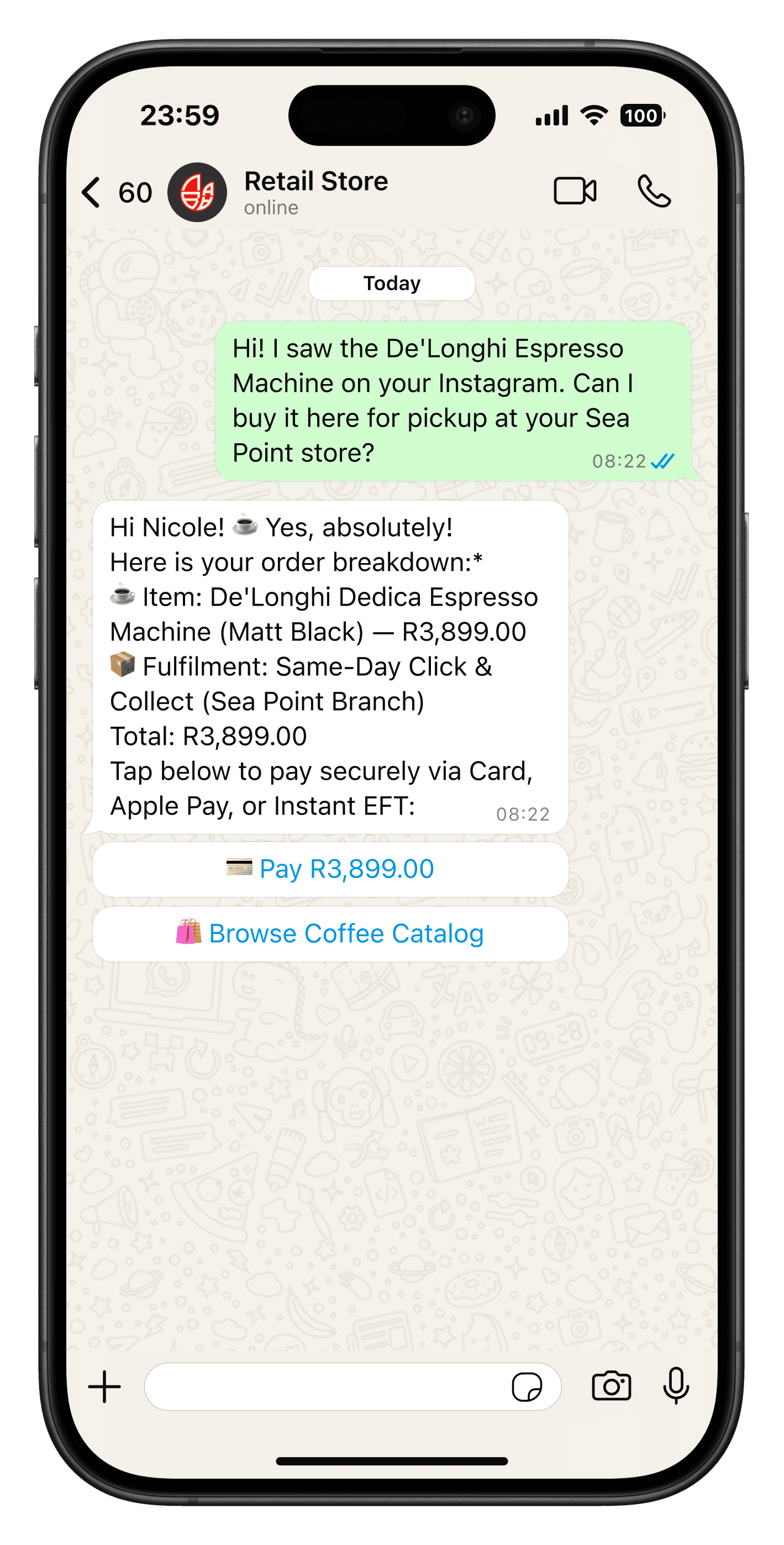
The right amount, every time.
When a customer checks out from your catalogue, books a slot or confirms an order, Syncli creates a Yoco or Payfast link for the exact amount and sends it in the chat.
- Yoco, Payfast and Paystack built in
- Card, Instant EFT and Capitec Pay
- Your own provider account

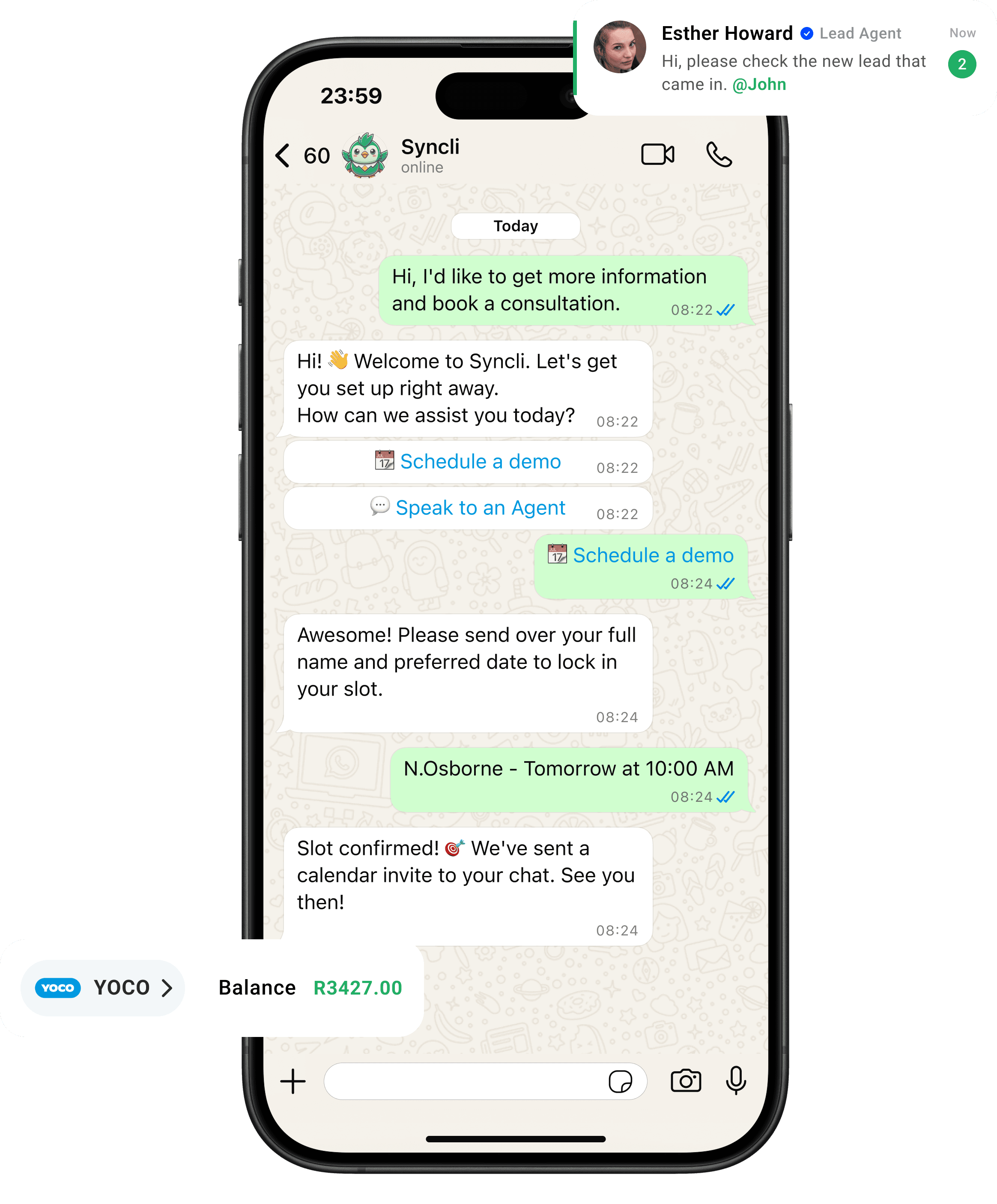
from chat to checkout
The shortest line between 'Hello' and 'Done.'
Your customers are already on WhatsApp, don't send them away to slow contact forms or email threads. Syncli keeps the entire journey inside the chat, making it seamless for leads to qualify, decide, and pay in seconds.

Get paid while they're still in the chat.
Every minute between "yes" and a payment link loses sales. Syncli sends the link the moment a customer is ready and confirms payment automatically.
- Links sent instantly.
- Payment confirmed automatically.
- No cut of your sales.
Checkout conversion (The Peace Lab)

Can you accept payments on WhatsApp in South Africa?
Yes, through payment links. Meta offers native in-chat payments in India, Brazil and Mexico, but not in South Africa. South African businesses take payment on WhatsApp by sending a secure link from a local provider such as Yoco or Payfast. The customer taps it, pays on the provider's PCI-compliant page and comes back to the chat.
You can create those links by hand, but at volume that becomes a job in itself. Syncli creates and sends them automatically as part of each order or booking. Our guide to accepting payments on WhatsApp in South Africa covers both options and compares the fees.
Supported payment providers and methods
- Yoco: card, Apple Pay and Google Pay.
- Payfast: card, Instant EFT, Capitec Pay, SnapScan, Zapper and Mobicred.
- Paystack: card and other Paystack payment methods.
You keep your existing provider account and payouts. Syncli doesn't hold your money and doesn't add a percentage on top of your provider's fees. See all integrations.
Where WhatsApp payments fit
- Retail and e-commerce: customers browse the WhatsApp catalogue, add products and pay in the same chat.
- Appointments: clinics, salons and spas take a deposit at booking to reduce no-shows. See WhatsApp bookings.
- Quotes and custom orders: sales teams send a link for the agreed amount straight after the quote, as Printrose does for custom print jobs.
- Premiums and accounts: insurers and service providers send links for first premiums or overdue amounts.
A real example
The Peace Lab, a Japanese Head Spa studio, moved its bookings from Fresha to Syncli because Fresha couldn't take payments the way the studio needed. It took payments from day one and now completes 58% of the checkouts clients start. Read the Peace Lab case study.
Online payments are included on every Syncli plan, from R1,800/month. See pricing.
See WhatsApp payments set up for your business.
Book a 30-minute call and we'll show you checkout, deposits and reconciliation with your Yoco or Payfast account.
- Personalised walkthrough
- Works with your payment provider
- No commitment
FAQs
Questions about WhatsApp payments.
Yes, through payment links. WhatsApp doesn't offer native payments in South Africa, so Syncli sends a secure Yoco, Payfast or Paystack link in the chat. Customers pay by card, Instant EFT, Capitec Pay or other methods their provider supports, and the money goes into the business's own account.
Compare
Syncli payments vs EFT and proof of payment
 EFT and screenshots