






Published in Guides
WhatsApp coexistence explained: how to use the Business app and API on one number

By Lyle Timotheus · 9 min read
For years, moving to the WhatsApp Business API came with a catch. The number had to leave the WhatsApp Business app, and whoever had been answering customers from their phone had to stop. Plenty of businesses stayed on the app for exactly that reason.
Coexistence removes the catch. You connect the number to the API and keep the app running on it. This guide explains how it works, what you give up, what it costs and when it's the right move. The details come from Meta's developer documentation as at November 2026, and from connecting South African numbers to Syncli ourselves.
What WhatsApp coexistence is
Coexistence is Meta's name for running one phone number on both the WhatsApp Business app and the WhatsApp Business Platform (the Cloud API) at the same time. You connect through a Tech Provider or Solution Partner using Meta's Embedded Signup, and choose to bring your existing app number with you.
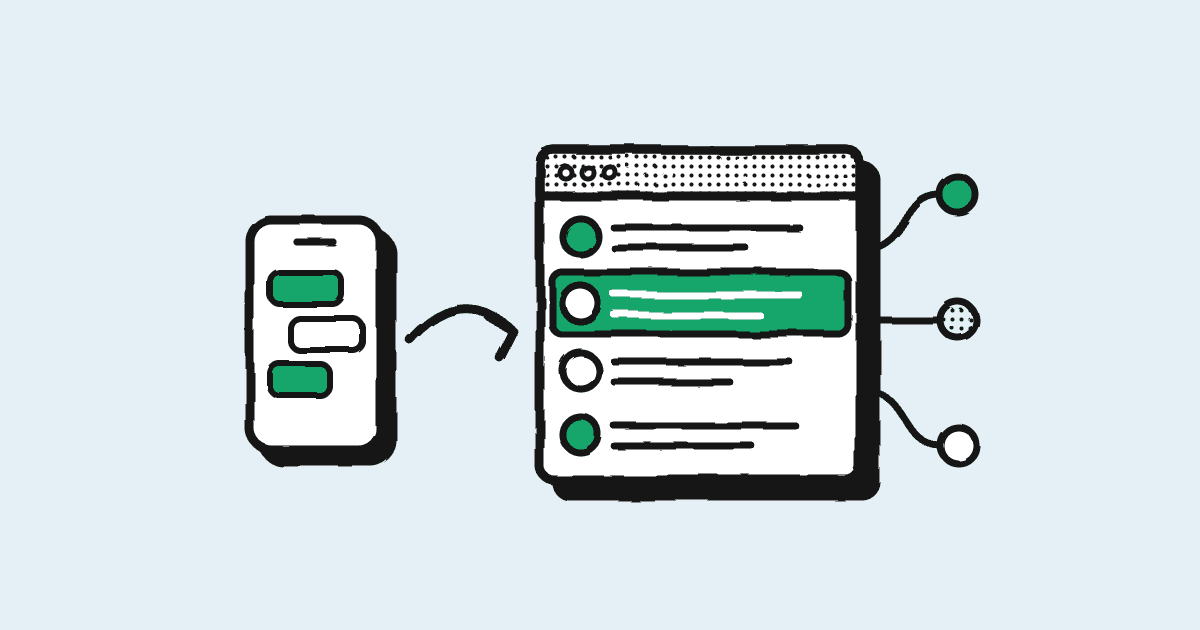
Once connected, messages are mirrored. A reply sent from the phone shows up in your API platform, and a reply sent from the platform shows up on the phone. To the customer, nothing changes: same number, same business name, same chat.
Why does it matter? Because the app and the API are good at different things. The app is quick and personal. The API is what a team needs: a shared inbox, AI agents, approved templates, integrations and reporting. Coexistence lets you have both.
What syncs when you connect
- Contacts. All your contacts that have a WhatsApp number can be synced.
- Six months of chats. One-to-one messages sent or received in the 180 days before you connect can be brought into the platform.
- New messages, both ways. From then on, everything sent from the app or the API appears in both.
Two things don't come across. Group chats aren't synced, and the API can't send to groups at all, though they keep working in the app. And the history sync has a deadline: Meta gives your provider 24 hours after connecting to run it, so do the connection when someone can keep the phone online.
What changes in the WhatsApp Business app
Most of the app works exactly as before. A handful of features that don't suit a shared, API-connected number are switched off. This is Meta's list:
| Feature | After connecting |
|---|---|
| Voice and video calls | No change |
| Catalog, orders and status | No change |
| Greeting and away messages, quick replies, labels | No change |
| Business profile and channels | No change |
| Editing and deleting sent messages | Now supported in one-to-one chats |
| Group chats | No change in the app, not available on the API |
| Broadcast lists | Switched off. Existing lists become read-only |
| Disappearing messages | Switched off in one-to-one chats |
| View once | Switched off in one-to-one chats |
| Live location | Switched off in one-to-one chats |
| Linked devices | Unlinked on connection. You can relink, except WhatsApp for Windows and Wear OS |
The one that catches people out is broadcast lists. If you rely on them, plan to send those messages from your platform instead, as approved templates to customers who opted in. It's a better tool anyway: no 256-contact cap, proper segments and results per send. Our WhatsApp bulk messaging page shows how that works in Syncli.
Who pays for what
Messages you send from the WhatsApp Business app stay free, as they always were. Messages sent through the API are charged at Meta's normal per-message rates. Meta also says app messages don't open, extend or affect API conversation windows, so the two are billed completely separately.
For a South African number, from 1 October 2026 a marketing template costs $0.0379 and a utility template $0.0095 through the API. Replies inside a window the customer opened are free. Our WhatsApp API pricing guide for South Africa has the full rate card, and the pricing calculator will price your own volumes in rand.
Limits worth knowing before you connect
- Throughput is fixed at 20 messages a second. A full API number can go much faster. For conversations and most campaigns 20 a second is plenty. For a 50,000-person flash sale that has to land in minutes, it isn't.
- The phone has to stay active. Meta disconnects the number if the main phone with the app is inactive for about 14 days, or a linked device for about 30 days. If the number belongs to someone who goes on long leave, plan for it.
- You need app version 2.24.17 or later. Update before you start.
- Messaging limits still apply to API sends. Conversations you start from the platform count towards your Meta messaging limit, which begins at 250 people a day and grows as you send good-quality messages.
- The rules don't change. Opt-in, template categories and quality ratings work the same as on any API number. Our guide on how to avoid a WhatsApp ban covers them.
How to connect a number
The flow is the same with any provider, because it's Meta's Embedded Signup. With Syncli it looks like this:
- Update the WhatsApp Business app on the phone that holds your number.
- In Syncli, start the WhatsApp connection and log in with the Facebook account that manages your Meta Business Portfolio.
- Choose to connect your existing WhatsApp Business app number, and confirm on your phone when prompted.
- Keep the phone online while your contacts and six months of chats sync.
- Relink any companion devices you use, and move your broadcasts to templates.
South African (+27) numbers work. If anything in the flow looks unfamiliar, talk to us and we'll do it with you on a call. See the WhatsApp coexistence page for how the app and Syncli work together day to day.
Coexistence or a full move to the API?
Coexistence is the right call when someone genuinely needs the app: an owner who handles key clients personally, managers who answer from the shop floor, or a team that wants to move to the API gradually without disrupting customers.
A full move is simpler when nobody needs the app any more, when you run large time-critical campaigns that need more than 20 messages a second, or when you'd rather every conversation went through one controlled inbox. You can start with coexistence and make the full move later.
Still deciding whether you need the API at all? Read WhatsApp Business app vs API.
Common problems and how to fix them
- The option to connect the app doesn't appear. Check the app is on version 2.24.17 or later, and that the number isn't already connected to another API account.
- Old chats are missing. Only one-to-one chats from the last six months sync, and the sync has to run within 24 hours of connecting. Group chats never sync.
- Broadcast lists have disappeared. That's expected. Existing lists become read-only. Send campaigns as templates from your platform instead.
- The number disconnected on its own. Usually the phone was inactive for around two weeks. Open the app, then reconnect through your provider.
- WhatsApp for Windows stopped working. It isn't supported with coexistence. Use WhatsApp Web or another supported companion.
Frequently asked questions
It's Meta's feature that lets one phone number run on both the WhatsApp Business app and the WhatsApp Business API. Messages are mirrored between the two, so your team can work from an API platform like Syncli while someone keeps using the app on their phone.